Sunday, January 18, 2015

Change node and edge colors in Cytoscape with Python

Often with Cytoscape we are interested in overlaying other information such as expression data. In order to easily do this without changing the layout/format of the original file it requires a bit of programming. Here I will explain how this can be easily done in python and have provided some of my own code (although it is still a bit messy).

First export your Cytoscape file to an XML file. This can be done in Cytoscape under file> export> network. XML is a superset of HTML, this file contains the positional information for each node in your network along with the edges, color and shape of each edge and node and any other graphical information you can think of.


With the Cytoscape file in XML format we can then parse this file in python using Beautiful Soup!
Beautiful Soup  is an XML parser written for python. First import Beautiful Soup and tell it the format.

 from bs4 import BeautifulSoup  
 soup = BeautifulSoup(xgmml)  

You can then select all the nodes or edges from you XML file using soup.find_all


edges = soup.find_all("edge")
print edges[0]


<edge cy:directed="1" id="412" label="MYB46 (PD) C4H" source="145" target="123">
<att name="interaction" type="string" value="PD"></att>
<att name="shared name" type="string" value="MYB46 (PD) C4H"></att>
<att name="selected" type="boolean" value="0"></att>
<att name="name" type="string" value="MYB46 (PD) C4H"></att>
<att name="shared interaction" type="string" value="PD"></att>

And Search for nodes or edges that match using with by getting the nodes label


edge = edge[0]
print edge.get("label")


MYB46 (PD) C4H

You can then change the color of a node for example by grabbing the graphics tag and


graphics_tag = edges.graphics
graphics_tag["fill"] = "#eb2200"

The graphics tag also contain other information inducing arrow types and others shown below:


<graphics fill="#999999" width="2.0">
<att name="EDGE_TARGET_ARROW_SHAPE" type="string" value="NONE"></att>
<att name="EDGE_LABEL_FONT_SIZE" type="string" value="10"></att>
<att name="EDGE_LABEL_COLOR" type="string" value="#000000"></att>
<att name="EDGE_LABEL_TRANSPARENCY" type="string" value="255"></att>
<att name="EDGE_SELECTED" type="string" value="false"></att>
<att name="EDGE_TOOLTIP" type="string" value=""></att>
<att name="EDGE_SOURCE_ARROW_UNSELECTED_PAINT" type="string" value="#000000"></att>
<att name="EDGE_TARGET_ARROW_UNSELECTED_PAINT" type="string" value="#999999"></att>
<att name="EDGE_LABEL_FONT_FACE" type="string" value="Dialog,plain,10"></att>
<att name="EDGE_LINE_TYPE" type="string" value="SOLID"></att>
<att name="EDGE_VISIBLE" type="string" value="true"></att>
<att name="EDGE_BEND" type="string" value=""></att>
<att name="EDGE_SOURCE_ARROW_SELECTED_PAINT" type="string" value="#ffff00"></att>
<att name="EDGE_CURVED" type="string" value="true"></att>
<att name="EDGE_SOURCE_ARROW_SHAPE" type="string" value="NONE"></att>
<att name="EDGE_TARGET_ARROW_SELECTED_PAINT" type="string" value="#ffff00"></att>
<att name="EDGE_STROKE_SELECTED_PAINT" type="string" value="#ff0000"></att>
<att name="EDGE_TRANSPARENCY" type="string" value="255"></att>
<att name="EDGE_LABEL" type="string" value=""></att>
</graphics>

I have used this code for many things and made if available on github here. I used this code to color feed forward loops and stress expression response in our Xylem Secondary Cell wall Network recently published in Nature.

Here is our Xylem Secondary Cell wall Network before changes:


The feed forward loops in our network are highlighted in Red here:


Here is the same network with salt stress microarray data overlaid where green shows positive correlation between transcription factors/ nodes and red negative.


An Arabidopsis gene regulatory network for secondary cell wall synthesis M Taylor-Teeples, L Lin, M de Lucas, G Turco, TW Toal… - Nature, 2014


Thursday, October 9, 2014

Get 23andme health information from 23andme data


One of the best things about 23andme is its transparency!! In addition to its awesome api that allows users to build tools to analyze their genetic data, the 23andme website also contains an exploratory mode which allows users to search for specific single nucleotide polymorphisms (SNPs).   SNPs associated with 23andme health reports in addition to other traits are available on SNPedia. Some of these traits include SNPs for left handedness or even SNPs for empathy. To get this information simply search for a SNP or trait of interest on SNPedia such as empathy: Rs53576. Then  login to your 23andme and go to https://www.23andme.com/you/explorer/.


Here you can search for any SNP of interest like  Rs53576. My genotype at this SNP is GG.


If we go back to SNPedia in the left hand corner we can see that having GG at the position indicates I may have my optimistic and empathetic tendencies encoded in my genome  :)


Some of these SNPs arnt as well studied like the SNP for left handedness rs1446109-rs1007371-rs723524 here if you have something like AA-TT-GG you are likely to be left handed. Also at the top of the image above, if the orientation does not say "plus" but instead "minus" you need to use the reverse complement of the 23andme genotype to determine your genotype at that SNP. 


Happy Hacking :) 


Monday, January 20, 2014

And so it begins

As a second year PhD student in Biology at UC Davis, we are required to taking one last exam before we can move on to candidacy. I take mine sometime in the next 3-6 months!!! This test is about 3 hours in length half based on classes and half on your research project. As initiative to start prepping for my exam I am going to start blogging on topics I should know and need to know.  So here it goes #BlogingForMyQE (qualifying exam)

Saturday, July 20, 2013

The Five Obstacles You Will Face in Your First Year of Grad School

Officially finished my first year at UC Davis as a Biochemistry, Molecular, Cellular and Developmental Biology (BMCDB) graduate student. When I think back to the start of my first year I realize I was very anxious and confused. I had heard so many horror stories about graduate school and was really not sure what to expect. Hopefully this will help with advice on the graduate school environment.


 1) Finding the one (your advisor):


This one is stressful and tough, after all you will be working with this person for 4+ years. Even before deciding on a school make sure there are lots of options.  Many of my top rotation choices did not have funding or had just left the school or the lab just wasn't what I thought it would be. Also make sure to contact older graduate students in your program and get advice on different labs and what the work ethic is like. In hindsight rotating in the summer really made a huge difference. I not only gained an extra rotation but also could easily meet with professors before the chaos began. It is best when leaving a lab to let them know you are weighting your options but really enjoyed your time there. After rotations have finished you should discuss potential thesis projects with each lab before making your decision.  Just remember choose your rotations wisely, start early, and work hard :)

2) Pass your classes:


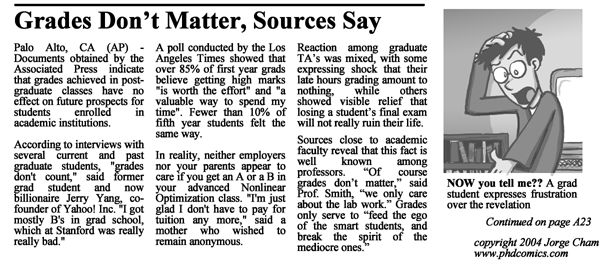
It is actually easier then it seems to pass as long as you complete all the assignments and actually try. This does not mean that the workload is not heavy! Juggling classes, assignments and rotations is enough to make you want to nap 24/7. It's all about focusing your energy in the right place. Keep in mind that grades do not matter, while where you will be spending your Ph.D does! In other words do not stress grades too much. Form study groups, try hard and you will be fine. Part of grad school is the realizing that there are a lot of subjects that you know very little about where others in your cohort maybe experts.  Within study groups show up with your work done, so you can not only defend you answer but admit to your mistakes and learn from others.

3) Get funding:


Start looking, writing and applying early, as in the summer before you start. I was forced to start my NSF application the summer before and was very grateful that I had. Once school starts there are so many other things to worry about. Also apply for everything even if you don't feel competitive enough. No matter how secure your funding is, many of us learned throughout rotations just how rare a professor with funding is. The best funding advice I could give is to double/triple check that all letter of rec writers will write outstanding letters and have proposals read by multiple people from varying departments and sell yourself!

4) Make Friends:


http://whatshouldwecallgradschool.tumblr.com/post/55377281333/dancing-at-grad-student-parties


Last but not least you should be making friends in graduate school, these are your soon to be collegues and possibly people you will encounter in your future. These are people you will see everyday, who encounter the same struggles, be friends not enemies. The friendship part was very unexpected for me yet helped tremendously. You are going to be stressed and confused and have worries. While it's nice at the end to celebrate your hard work with these people they are also great support throughout. These people are smart and will be able to help you throughout your graduate career. After all you all were accepted into the same program and one thing I realized over time was that everyone in our cohort has their own thing they excel at at. Also it's amazing to finally have friends just as nerdy as you! Shout out to @annaphase


HAVE FUN!


Wednesday, May 1, 2013

RNASeq Analysis: The Basics


Strange and Mysterious File Types (you might encounter)


Sequence Read Archive format (SRA): This is an NCBI specific file format used because of its ability to compress read sequence information. This is often the output of many illumina sequencing pipelines.


Fastq file: SRA files can be converted to Fastq files, these are similar to Fatsta files and contain a header, associated genomic sequence and a quality score for the sequence. This is often encoded in binary and needs to be read by quality control algorithms. Thus, Fastq files contain your raw sequence information.


BAM and SAM Files: These are your alignment files where SAM stands for sequence alignment file and BAM is the binary form of this. While BAM is unreadable by humans it is often used because it is more memory efficient and quicker for computer algorithms to read in. These are obtained by often by Bowtie or Tophat after your Fastq reads have been aligned to your reference genome


GTF/GFF: These are often used as reference for counting how many reads map to genomic regions. These are tab delimited files containing the , start, stop, chromosome, and strand information along with name of a genomic region (such as gene, transposon, mRNA).


RNASeq process in flow chart on top. Bottom indicated different file formats and types of analysis for each step.


Pre-processing:

If files are obtained from  NCBI’s Gene  Expression Omnibus (geo) then they are most likely in .SRA format and need to be converted to fastq using the fastaq-dump package.


Quality control:


Before processing the data reads must first be trimmed for adapter sequences and reads of bad quality should be filtered out. A great tool for easily viewing the distribution of  quality scores is FASTQC. I use trimreads to both filter low quality reads and trim adaptor sequences. For more detailed analysis others have used many components of the fastx toolkit.


Alignment to reference genome:

Your fastq file contains your RNA small sequence reads. These need to be aligned back to a reference genome. Reference genome: Model organism you are using, sequence containing coding sequence only, microRNA only or entire genome. BOWTIE excels both in speed and memory efficiency for aligning short sequence reads back to a long reference sequence. In order to obtain this efficiency the reference genome must first be indexed. This creates a database of keys (in this case they would be cds sequences) for each record and positions them into a memory efficient tree. An index is created simply by:
bowtie-build reference_genome name_for_refrence_genome
TopHat/Bowtie can then be used to align the fastq sequences to the index reads. TopHat is often preferred in RNAseq analysis because while it is build on top of Bowtie it is also able to identify splice junctions between exons.
Tophat --bowtie1 name_for_refrence_genome fastq_reads
Determining differentially expressed gene:

Once files have been aligned to a reference genome count data can be obtained.

Count Data: These are counts of RNASeq reads that align to a gene (or other genomic regions indicated by the GTF file). Therefore this tab-delimited file contains gene_ids and their corresponding RNA counts from your data.

To analyze for differential expression two programs are commonly used DeSeq or EdgeR. You can read up on comparisons of these two here:


Both programs assume that the number of reads in the sample can be modeled using a negative bionomial distribution.


Additional Resources:


Tuesday, March 26, 2013

5 Apps All Graduate Students Should Have

1) Wunderlist


The one thing I have repeatedly learned in graduate school is that you will always be adding to your TODO list. This list is never ending and often bogs me down. Wunderlist works well for me because it allows me to set deadlines and has a friendly interface. I keep everything from school work to twitter post on it =)


2) Google Scholar


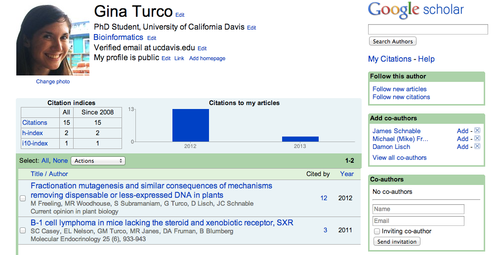
If you have published a paper you should make a Google Scholar account. If you haven't published yet you should make a Google Scholar too! Google Scholar is like a Facebook for scientist, it allows others to easily find papers published by you and who you have collaborated with. It also recommends papers for you based on papers you have read and what you have published.


image


3) nvALT


You are not always going to have time to take notes, sometimes you just want to jot something down quickly. This app allows users to take quick notes and find them easily in the future. Also it allows you to write (and preview) your notes in HTML and Markdown so that information can be easily be transferred to a website or maybe even a blog.


image


4) Dropbox/Google Drive


If you have not started using Dropbox or Google Docs yet, get on it! This allows you to access your information from any computer anywhere any time. That research paper you were putting off reading, put off no more. Another bonus to these services is that information is stored in the cloud, free backup. Although you do not ever think your computer will crash and 4 hours of work will be destroyed, it will happen, TRUST ME!
image


5) StayFocused Chrome Extension 

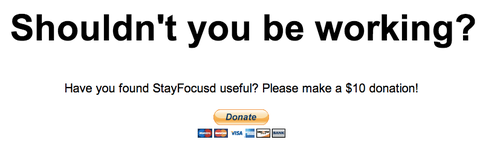
Also available for firefox and safari browsers.  This app allows you to spend a limited amount of time on distracting sites (such as Facebook) before telling you to get back to work and blocking you from that site for the rest of the night.


 image